



Fits: listed for every body type, so choose your vehicle here to check this item against it.
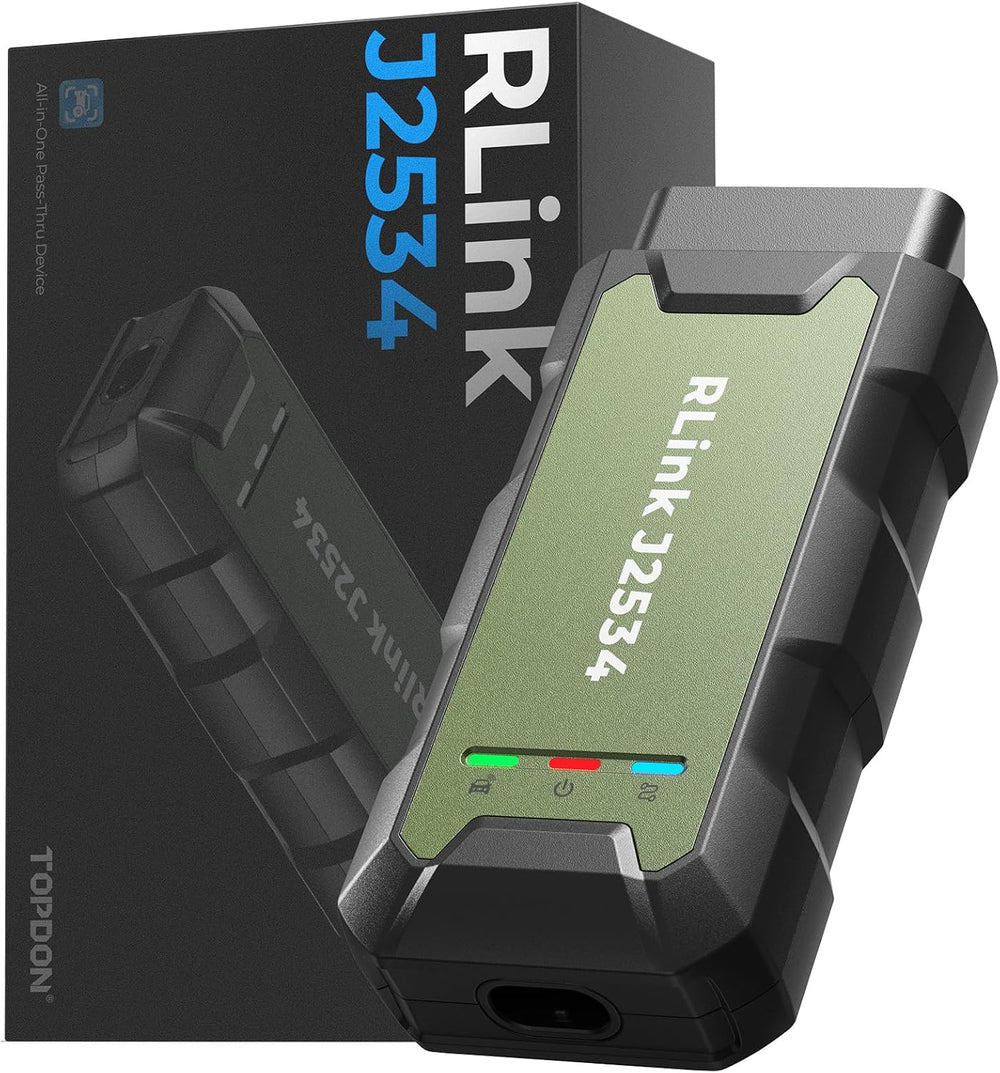
TOPDON J2534 Pass-thru Programmer
Which vehicles this suits
This item is not tied to one body type, so it is listed for sedans, hatchbacks, SUVs, pickups and minivans alike, which is the first thing to compare with your own car before you order.
If you are not sure, send your year, make and model to support@cabinmile.com and we will check it against the product before you order.
The measurement to check
The dimensions are in the product description below, and the vehicle finder on the home page shows where to measure the depth and width of each part of the car.
Delivery and returns
Delivery to any Canadian address is free and takes 7–14 business days from the day you order, with a tracking number sent by email.
You have 30 days from delivery to send it back, and we email you a prepaid return label, so a wrong size never costs you postage.
About this product
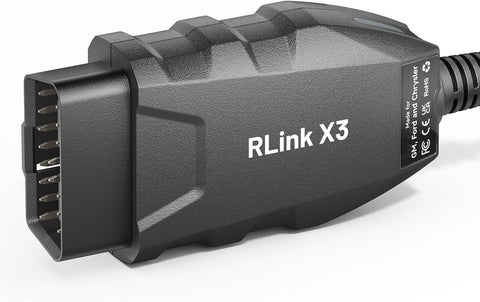
This pass-thru programmer connects a vehicle's OBD port to a computer over a Type-C cable, so the OEM software on that computer can reach the car for ECU programming and coding. It covers over 18 major automotive brands, among them BMW, Mercedes-Benz, Volkswagen/Audi, Wuling, Volvo, Land Rover/Jaguar, Subaru, Honda, Toyota, Nissan, GM, Ford and Chrysler. The unit measures 11.5 x 5.1 x 2.9 cm and ships with a quick user guide.
| Colour | No Color |
|---|---|
| Model | RLink J2534-US |
| Included components | 1* TOPDON RLink J2534, 1* Quick User Guide |
| Item dimensions (L x W x H) | 11.5 x 5.1 x 2.9 cm (4.5 x 2 x 1.1 in) |
Does it fit your vehicle and computer?
Three checks decide whether this pass-thru programmer suits your setup. The vehicle must run on 12V, since 24V vehicles are not supported, and the computer must run a compatible 64-bit Windows version (7, 8, 10 or later) with a Type-C cable connection to the device.
The OEM software matters too: Ford IDS diagnostic software is not compatible, and the correct OEM software version for your vehicle and model year has to be confirmed before use. Diagnosis also requires active subscriptions.
Setting up the RLink platform
- Download the RLink Platform software from TOPDON's official website.
- Install the software, launch it and register to bind the device.
- Download the driver and set the device to RLink mode.
- Before installation, uninstall other J2534 drivers and temporarily disable antivirus software to avoid conflicts.
During programming, connect the vehicle to a stable power supply. Obtain OEM software from official sources only. For Chrysler activation, the wiTECH2 software serial number appears under Help > About wiTECH2 > Serial Number; enter that number rather than the RLink serial number.
Protocols, channels and ECU work
The programmer supports all J2534 protocols plus D-PDU, CAN-FD and DoIP, and it handles three CAN channels at once, including CAN FD and CAN-CC. It provides advanced ECU programming and coding, full-system diagnostics and common reset services.
Driver installation and management run through the RLink Platform on a one-click basis, and driver updates are free for the life of the device. A built-in operation guide and a library of repair information are part of the package.
What buyers ask before ordering
Which vehicle brands does it cover?
Over 18 major automotive brands are listed, including BMW, Mercedes-Benz, Volkswagen/Audi, Wuling, Volvo, Land Rover/Jaguar, Subaru, Honda, Toyota, Nissan, GM, Ford and Chrysler.
Can it be used on a 24V truck?
No. The device is not compatible with 24V vehicles.
Does it work with Ford IDS?
No. Ford IDS diagnostic software is not compatible with this device.
What Windows version does the software need?
A compatible 64-bit Windows version is required, which means Windows 7, 8, 10 or later.
How does the device connect?
It plugs into the vehicle's OBD port and links to the computer with a Type-C cable.
What comes in the box
- 1* TOPDON RLink J2534 device
- 1* Quick User Guide
Product details
| Brand | TOPDON |
|---|---|
| Product type | Diagnostic Scan Tool |
| Department | TOPDON Canada |
| Listed for | Every body type |
| Delivery | Free, 7–14 business days |
| Returns | 30 days from delivery, return label paid by us |
Delivery and tracking
Delivery to any Canadian address is free and usually takes 7–14 business days from the day you order. We email a tracking number once the parcel leaves the warehouse, and you can follow it on the track your order page.
Returns
If this is not right for your car, you have 30 days from delivery to send it back unused. Email support@cabinmile.com with your order number and we send you a prepaid return label, and the full process is in our refund policy.
Checking the fit
Each part of the car has its own measurement that decides the fit, such as the cargo floor depth for a trunk organizer or the gap beside the seat for a gap filler. The common questions on the home page show where to measure.
How Subscribe and save works
Pick Subscribe and save above to have this delivered every 30 days, 60 days or 90 days at 5% off the one-off price. You can skip a delivery, pause or cancel from your account whenever you like, and there is no minimum number of orders.
Multi-buy discount
The cart takes 10% off when it holds 2 items, 15% at 3 and 25% at 4 or more, and the items can be different products. The discount is applied automatically at the cart, so there is no code to enter.
Customer reviews
Same part of the car
More in TOPDON Canada
Help before you order
- GuideCar accessories guideWhat makes a good car accessory? A good car accessory fits the space you have, works in the weather you dri...
- FAQOrders, delivery and returnsAnswers on tracking, delivery times, return labels and subscriptions, all on one page.
- ContactAsk about your vehicleSend the year, make and model with the item you have in mind and we will check the fit for you.